Firestore
Manage Firestore from iPhone and iPad
Browse collections, read and edit documents, create and delete records, and search your data — natively on iOS, without opening a laptop.
Cloud Firestore is Firebase’s flexible, scalable NoSQL document database. On desktop you manage it in the Firebase Console; Firedeck brings the same data to your iPhone and iPad so you can inspect and fix production records wherever you are.
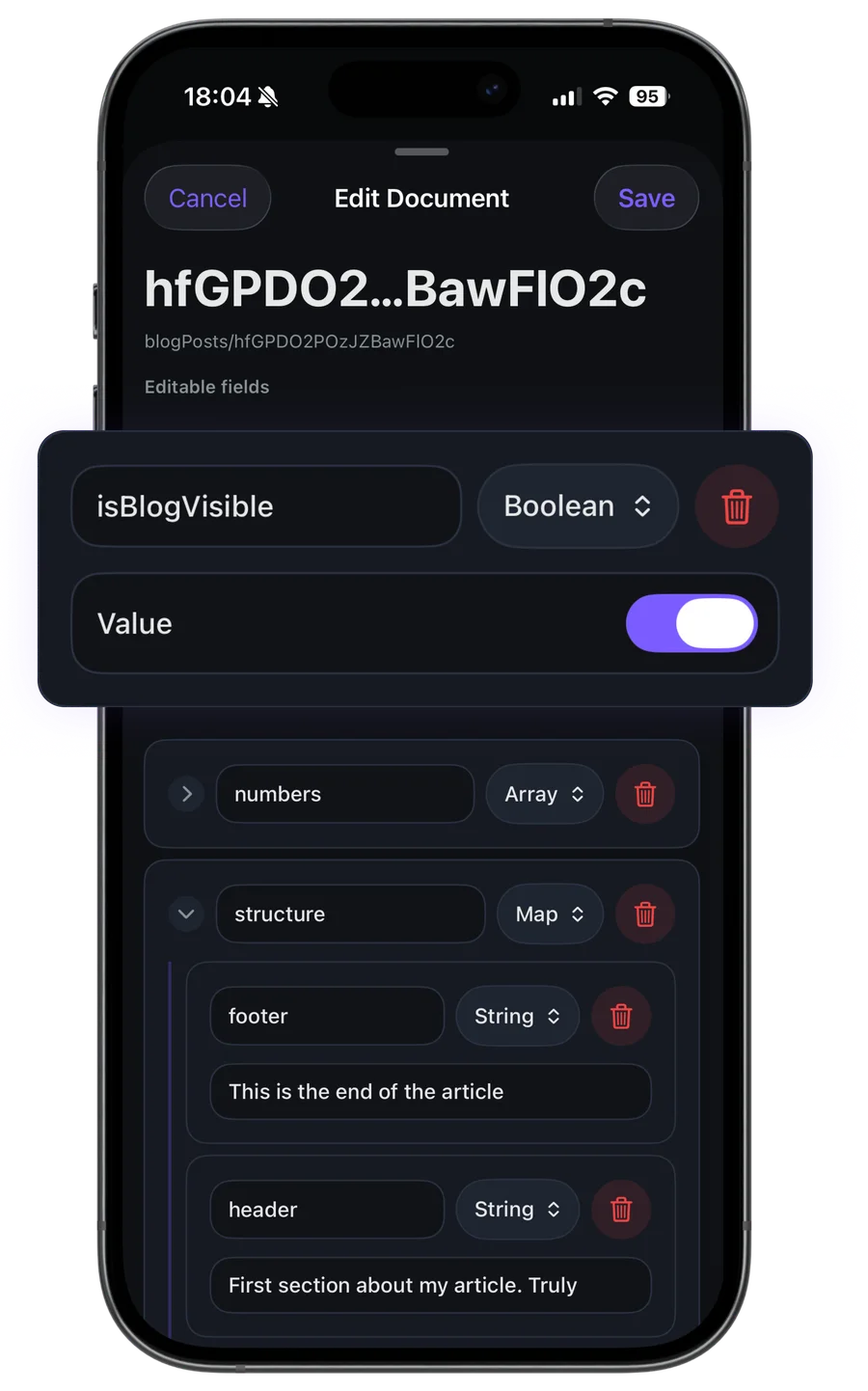
Firedeck renders every Firestore value type natively — strings, numbers, booleans, timestamps, geopoints, arrays, maps, references, bytes, and null — so documents read clearly on a small screen instead of as raw JSON.
- Browse collections
- Edit documents
- Create records
- Delete data
- Search collections
What you can do with Firestore
Browse collections
List every collection in your database, with document counts, and drill into any collection.
Read documents
Open any document to see every field rendered with its correct Firestore type, including nested maps and arrays.
Edit documents
Change field values in place and save back to Firestore with the user’s own permissions.
Create records
Add new documents to a collection, setting typed fields directly from your device.
Delete data
Remove documents you no longer need, with a confirmation step before anything is destroyed.
Search & navigate
Search within a collection and step into subcollections to reach deeply nested data.
Your data stays yours
Firedeck is fully client-side. There is no backend and no proxy — every request goes directly from your device to Google’s first-party Firebase APIs, authenticated with your own Google sign-in. Your tokens are stored only on your device, never on a server.
Frequently asked questions
Can I edit production Firestore data from my iPhone?
Yes. Firedeck lets you read, create, update, and delete Firestore documents using your own Google account’s permissions. Write actions are part of Firedeck Pro.
Does Firedeck support subcollections?
Yes. Firedeck lets you navigate into subcollections inside a document to reach deeply nested data.
How are Firestore field types handled?
Every Firestore type — string, integer, double, boolean, timestamp, geopoint, array, map, reference, bytes, and null — is decoded and rendered natively, not shown as raw JSON.
Is editing production data safe?
Firedeck acts strictly as the signed-in Google user and talks directly to Firebase’s REST APIs. Destructive actions require an explicit confirmation, and you only have the access your own IAM role grants.