Firebase on iPhone
The Firebase Console for iPhone
Firedeck is a native iPhone app for managing Firebase projects — Firestore, Authentication, Storage, Remote Config, Cloud Functions, and App Distribution. The full console, rebuilt for iOS.
Firebase, without the laptop
Firebase is Google’s app development platform. Its database (Firestore), user management (Authentication), file storage, Remote Config, and Cloud Functions are normally managed through the Firebase Console — a web app built for the desktop.
But the work doesn’t always happen at a desk. Something breaks in production, a user needs their account fixed, or a config value needs to change during a launch. Firedeck puts those tools on your iPhone so you can act in seconds.
Every core Firebase service, on iOS
Each one rebuilt as a native iPhone experience.
Firestore
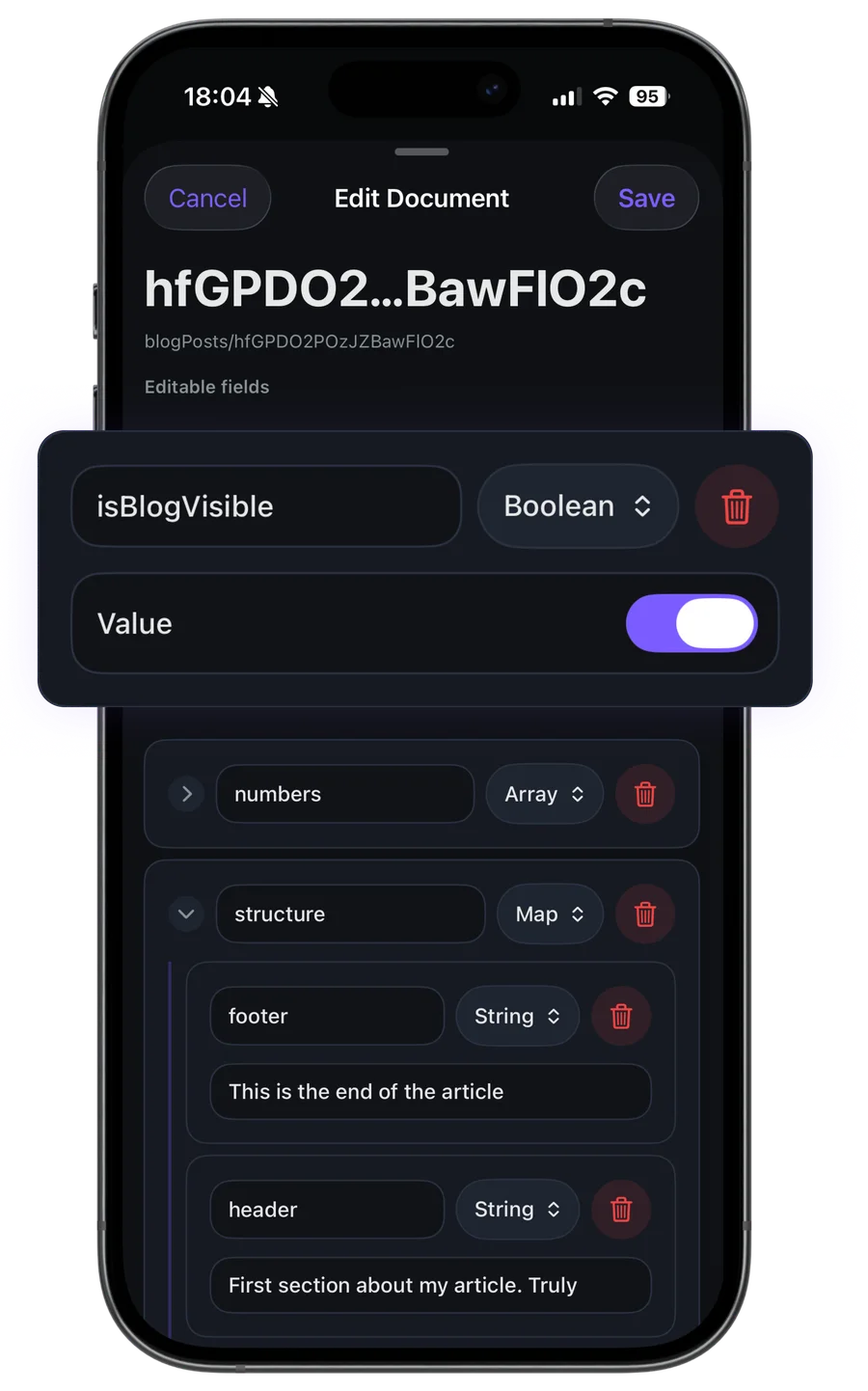
Browse collections, edit documents, and run queries directly from your device.
Learn moreAuthentication
Inspect, search, and manage your users from anywhere.
Learn moreStorage
Browse buckets, preview files, and manage uploads on the go.
Learn moreRemote Config
Update parameters and publish changes instantly — and safely.
Learn moreCloud Functions
Monitor functions, test invocations, and review errors.
Learn moreCloud Messaging
Compose and send push notifications from your phone.
Learn moreAlso supported
- Realtime Database
- Hosting
- Extensions
- Security Rules
- App Distribution
- IAM
- App Check
- Cloud Logging
Your data stays yours
Firedeck is fully client-side. There is no backend and no proxy — every request goes directly from your device to Google’s first-party Firebase APIs, authenticated with your own Google sign-in. Your tokens are stored only on your device, never on a server.
Frequently asked questions
Is there a Firebase Console app for iPhone?
Yes. Firedeck is a native iPhone and iPad app for managing Firebase projects, covering Firestore, Authentication, Cloud Storage, Remote Config, Cloud Functions, and Cloud Messaging, plus Realtime Database, Hosting, Extensions, Security Rules, IAM, App Check, App Distribution, and Cloud Logging. The official Firebase Console is a web app; Firedeck is a purpose-built iOS client.
Can I edit production Firebase data from my iPhone?
Yes. Firedeck can read and edit Firestore documents, manage Authentication users, publish Remote Config changes, and manage Storage files using your own Google account’s permissions. Write actions are part of Firedeck Pro.
How does Firedeck connect to my Firebase project?
You sign in with Google. Firedeck uses your own OAuth access token to call Google’s first-party Firebase APIs directly from your device. There is no backend or proxy, and your projects are exactly the ones your Google account already has access to.
Is it safe to connect a production project?
Firedeck is fully client-side. It does not run a server, store your tokens, or use the Firebase Admin SDK. Permissions are scoped to your own Google account, and destructive actions require confirmation.
How much does Firedeck cost?
Firedeck is free to download and use for reading and browsing across every service. Firedeck Pro adds write and admin actions for $29.99/year, $5.99/month, or $69.99 lifetime.