Authentication
Manage Firebase Authentication on the go
View and search your users, inspect accounts, and handle common authentication tasks from iPhone and iPad.
Firebase Authentication manages the users who sign in to your app. When a support request or incident comes in, you often need to look up a user or disable an account quickly — Firedeck gives you that native list-and-detail workflow on iOS.
Open any user to see their providers, last sign-in, and account state, and act on the account directly from your phone.
- View users
- Search users
- Disable / enable
- Password resets
- Custom claims
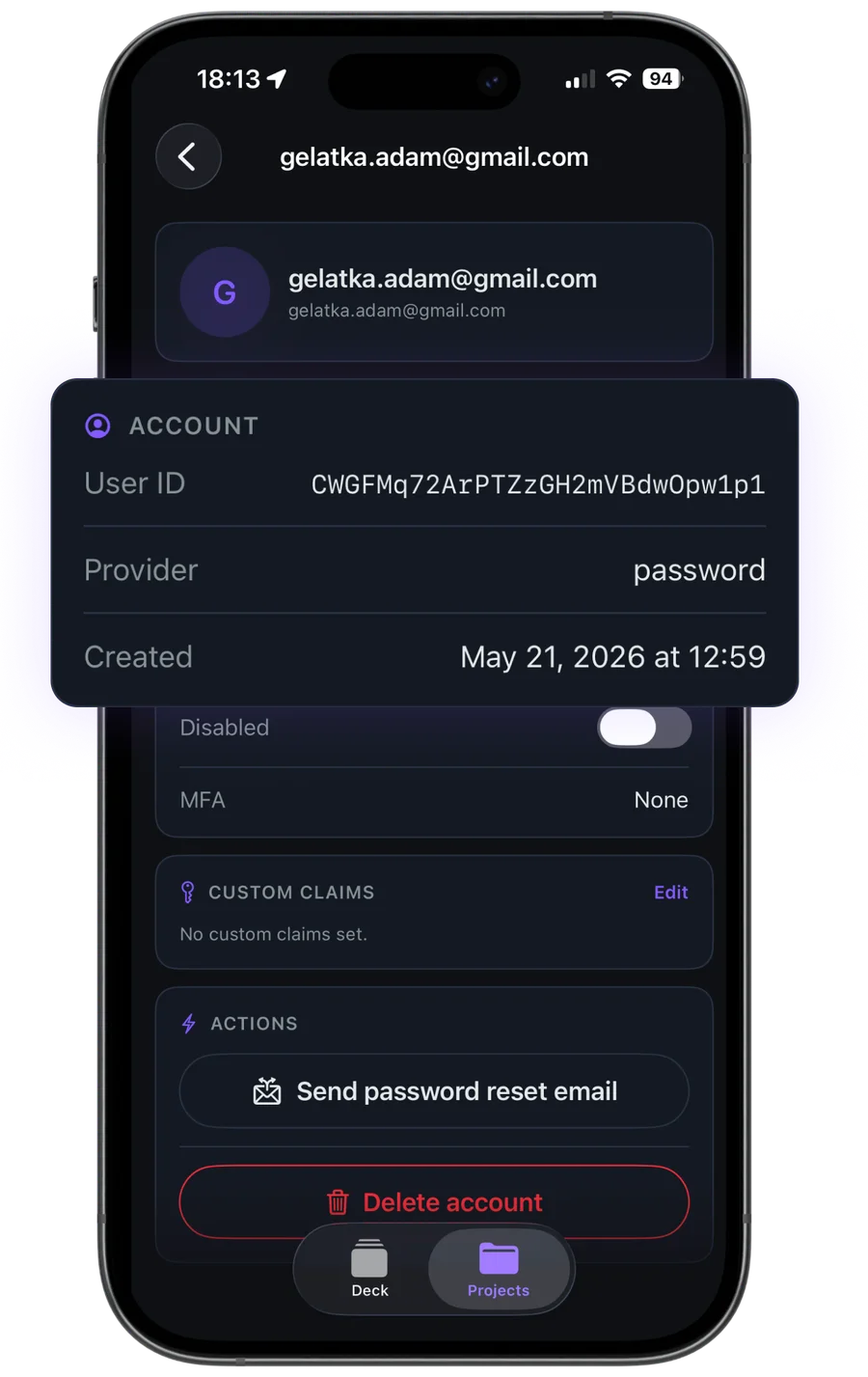
What you can do with Authentication
View users
Page through your user list with email, provider, and last sign-in at a glance.
Search users
Find a specific user by email to jump straight to their account.
Inspect accounts
See a user’s sign-in providers, creation and last-sign-in dates, and disabled state.
Disable or enable
Turn an account off or back on when responding to abuse or support requests.
Password resets
Trigger a password-reset email for a user who can’t get back in.
Custom claims & MFA
Inspect MFA enrollment and edit the custom claims on an account.
Your data stays yours
Firedeck is fully client-side. There is no backend and no proxy — every request goes directly from your device to Google’s first-party Firebase APIs, authenticated with your own Google sign-in. Your tokens are stored only on your device, never on a server.
Frequently asked questions
Can I disable a user account from my phone?
Yes. Firedeck can disable and re-enable Firebase Authentication accounts, which is useful for responding to abuse or support requests on the go. Account changes are part of Firedeck Pro.
Can I search for a specific user?
Yes. You can search your user list by email and open the matching account directly.
What user details does Firedeck show?
Each user’s sign-in providers, creation and last-sign-in times, disabled state, MFA enrollment, and custom claims are shown in the account detail view.